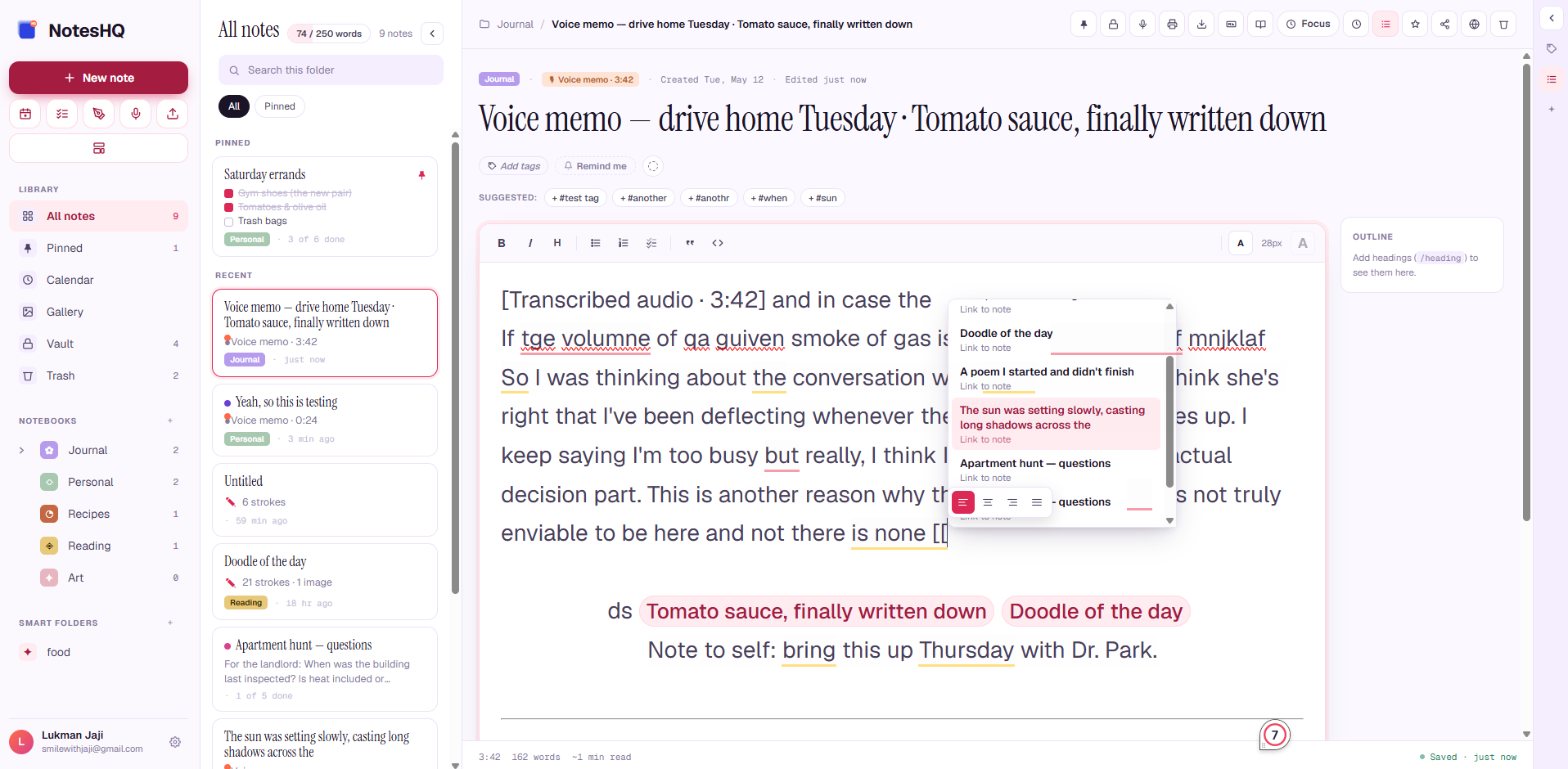
A rich web editor, native mobile apps, and AI that actually reads your notes. Rich text + checklists + freehand canvas + voice memos — round-tripping across every device.
Add deadlines, recurring schedules, and browser-push notifications. Tasks ping you before they slip.
Voice memos with transcripts
Record on the go. Auto-transcribed to text. Variable playback speed (0.5×–2×) on web and mobile.
AI
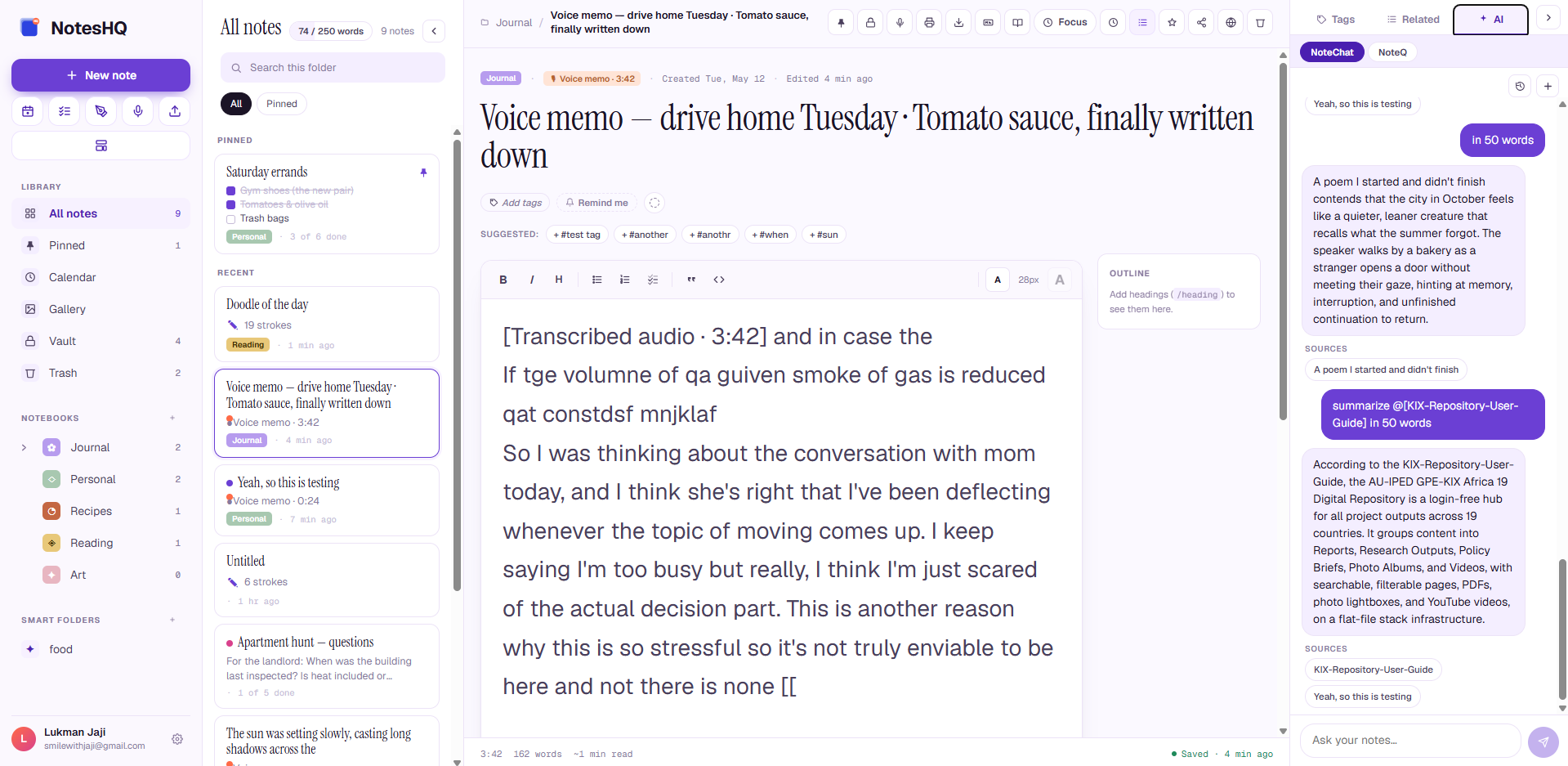
NoteChat
Ask your notes anything. Cited answers with sources, @mentions to pull in specific notes.
AI
NoteQ
Auto-generate quizzes from your notes or uploaded PDFs. MCQ, true/false, flashcards, fill-in-the-blank.
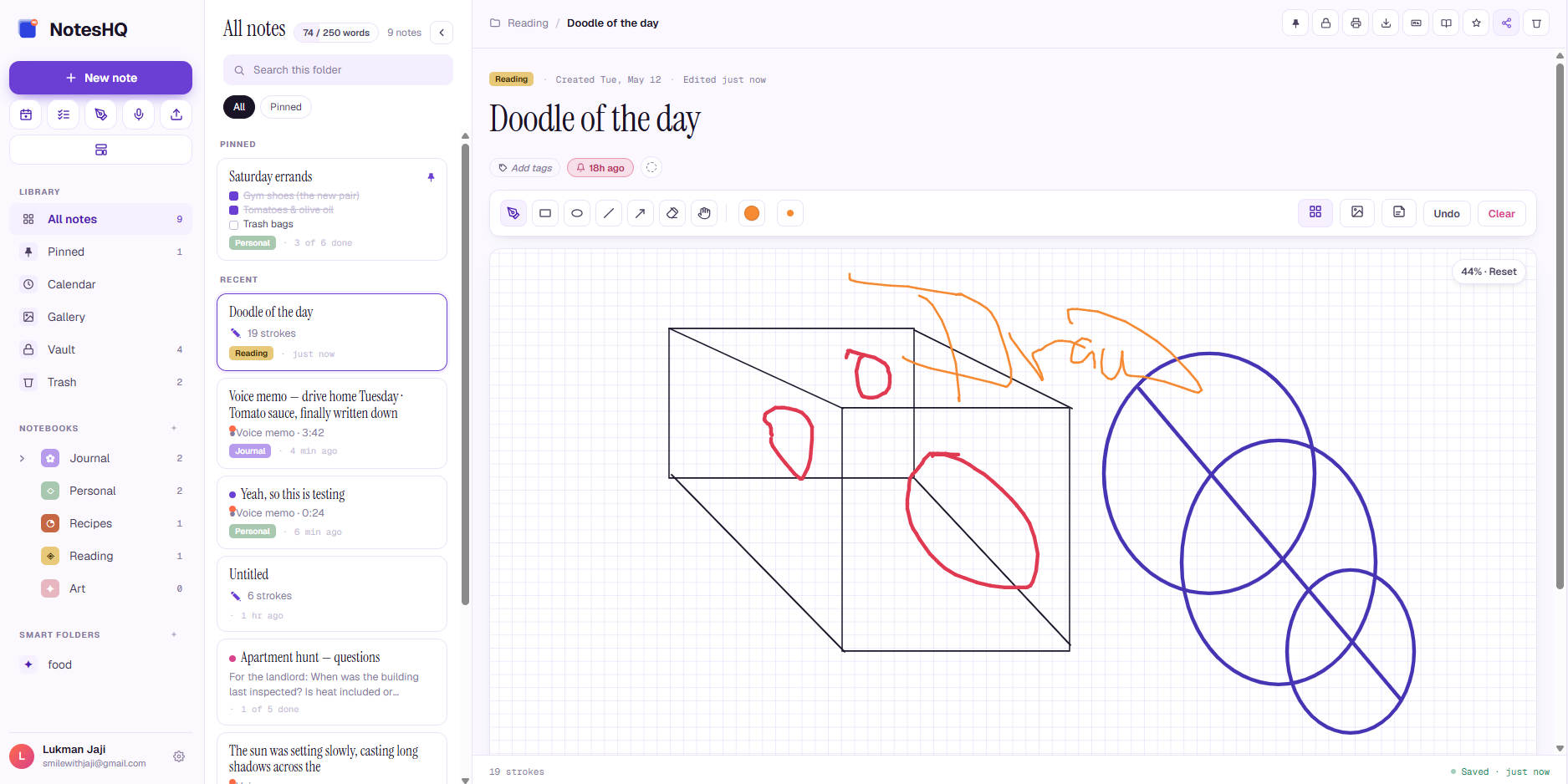
Freehand canvas
Pen, eraser, rect / ellipse / line / arrow shape tools. Sticky notes, inline images. Strokes persist as vectors, not pixels.
Vault & trash
Lock sensitive notes behind a PIN or fingerprint. 30-day trash recovery. Soft-delete by default — undo any time.
Markdown import / export
Import .md, ZIP, or folders. Export your whole library as a Markdown zip with YAML frontmatter. Your data is yours.
Sync everywhere
Phone, tablet, web — same notes, always in step. Mobile keeps working offline; web stays live.
Nested notebooks & smart folders
Group books inside books. Save searches as smart folders that auto-update — #work color:red since:7d.
Writing streak & focus timer
Daily word goal with streak. Pomodoro-style focus sessions auto-engage reading mode and credit your streak when the timer ends.
Public share links
Read-only public URLs with optional password and expiry date. Rotate or revoke anytime. Recipients can translate to their language.
Translate & localize
Translate any note into 8 languages — replace in place or save as new. App UI also fully localized (English, Spanish, French, German, Portuguese, Arabic, Chinese, Swahili).
Version history
30 snapshots per note, auto-saved. Side-by-side word-level diff against any version, restore in one click.
Gallery, calendar & outline
Every image across your library in one grid. Reminders on a month calendar. Auto-generated outline for every long note.
AI that actually knows your notes
The smarter your notes get, the smarter you get.
Two AI features built on your real content — never generic answers, always grounded in what you've written.
NoteChat
Chat with everything you've ever written.
Ask anything. NoteChat reads your notes, finds what's relevant, and answers with citations — so you can verify and jump straight to the source.
Cited answers. Tap any reference to open the source note.
@mention any note to scope a question, like "@grocery list — what do I still need?"
Summarize, plan, draft. Turn rough notes into clean output.
Summarize my Sunday morning thoughts.
Your week-ahead list, captured over coffee: kitchen shelf finish, call grandma, try Maya's lentil recipe #1, and a walk down the river loop. You also reminded yourself: no laptop before 10am on weekends #1.
Sunday morning thoughts
NoteQ
Turn any note into a quiz, instantly.
Pick notes or upload PDFs and DOCX. NoteQ generates multi-choice, true/false, short answer, flashcards, and fill-in-the-blank — with explanations and source citations.
5 question types, pick any combination. Set difficulty and length.
Saved quizzes. Retake later. We track your best score.
Cited explanations for every question. You learn the why, not just the what.
2/3
67% · Apartment hunt
QUIZ
Q1 · True/False
The landlord list includes a question about wall thickness.
True
Q2 · Multiple choice
Which is listed as a concern for the tenant?
Can I picture cooking dinner here?
Is heat included or separate?
On every screen, no install
The web app is a first-class home for your notes.
A three-pane workspace built for keyboard-driven thinking. Everything from your phone, plus the things only a big screen can do well.
Three-pane workspace
Sidebar with nested notebooks + smart folders, scrollable note list, full editor, contextual right rail.
Keyboard-first
⌘K to jump to any note. ⌘\ for reading mode. Slash commands inside the editor. Drag-to-reorder + multi-select.
Right rail you'll actually use
Tags, related notes, NoteChat, and NoteQ — one tab away. Outline panel docks alongside long notes.
Dark mode + 8 languages
Full UI translation in English, Spanish, French, German, Portuguese, Arabic (RTL), Chinese, and Swahili.
Yours, fully
Private by default. Beautiful by design.
Your notes are encrypted. Your aesthetic is yours. Pick from 14 themes plus dark mode.
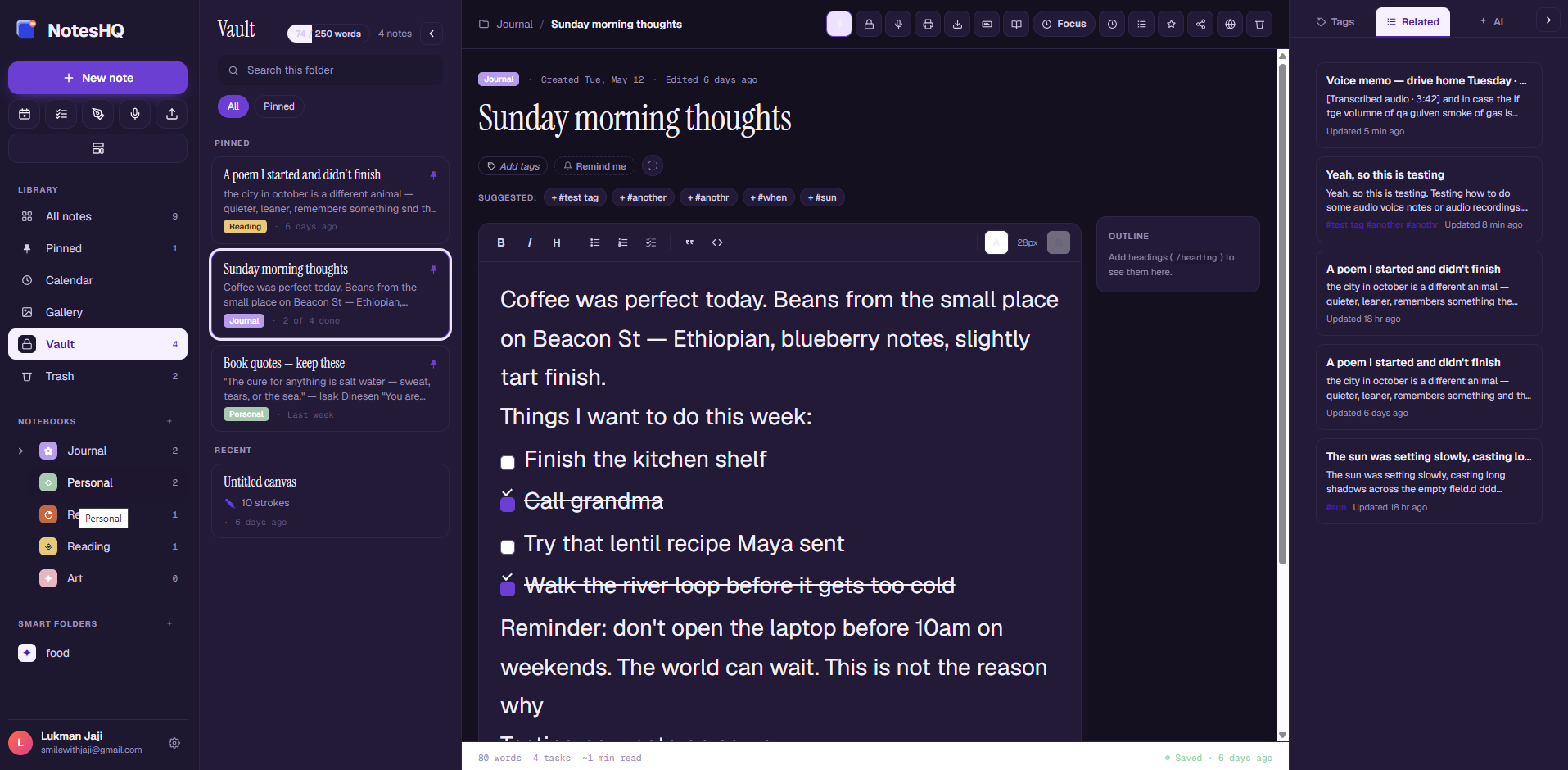
A vault for the things you don't share.
Some thoughts stay private. Lock notes behind a PIN, drawn pattern, or fingerprint — they disappear from the main list and reappear only after you unlock.
3 unlock methods: PIN, pattern, or biometric.
Auto-lock when you leave the app.
End-to-end encrypted. Not even we can read your vault.
Vault
Enter your 4-digit PIN to unlock
1
2
3
4
5
6
7
8
9
14 themes. One you.
From classic purple to slate, sienna, mint, butter — paint the app in the colors that match your day. Dark mode included.
14 curated themes — colorful and earth-toned.
True dark mode for late-night writing.
8 languages — including Arabic with full right-to-left layout.
Purple
Blush
Sage
Ocean
Ink
Clay
Slate
Honey
Fog
Sienna
Cocoa
Caramel
Mint
Butter
Calendar integration
Lives where your schedule already does.
Every NotesHQ reminder and checklist deadline syncs into the calendar app you already use. One URL, set it once, refreshed automatically. No browser extensions, no OAuth dance, no second app to open.
Google Calendar
Settings → Add calendar → From URL → paste your NotesHQ URL. Updates every few hours.
Apple Calendar
Tap "Open in calendar" from NotesHQ — iOS and macOS handle the rest. Works on iPad too.
Outlook
Calendar → Add calendar → Subscribe from web → paste the URL. Works in Outlook 365, desktop, and on the web.
Thunderbird
File → New → Calendar → On the Network → iCalendar (ICS). Free, open source, runs on Linux too.
Anything else that speaks iCalendar (RFC 5545) works too — Fastmail, ProtonMail, Nextcloud, Linux clients, calendar widgets on smartwatches. One URL, every device.
And the daily review lands in every inbox
Opt in to a short morning email — today's reminders, anything overdue, and your writing streak — delivered at the hour you pick, in your local timezone. Same trusted pipeline as account emails: sent from zshift.io, SPF + DKIM signed, clean delivery to Gmail, Outlook, ProtonMail, iCloud, Yahoo, Fastmail, and any other RFC-compliant inbox.
Browser clipper
Save any webpage in one click.
Reading something worth keeping? Hit the toolbar button — NotesHQ captures the page's URL, title, and any text you'd selected, then drops it into your library. Use the keyboard shortcut Alt + Shift + S if you'd rather not reach for the mouse.
Works on every Chromium browser — Chrome, Edge, Brave, Vivaldi, Opera, Arc — and on Firefox. Safari build is on the way.
Introducing — Pebble
One press. Hands free.
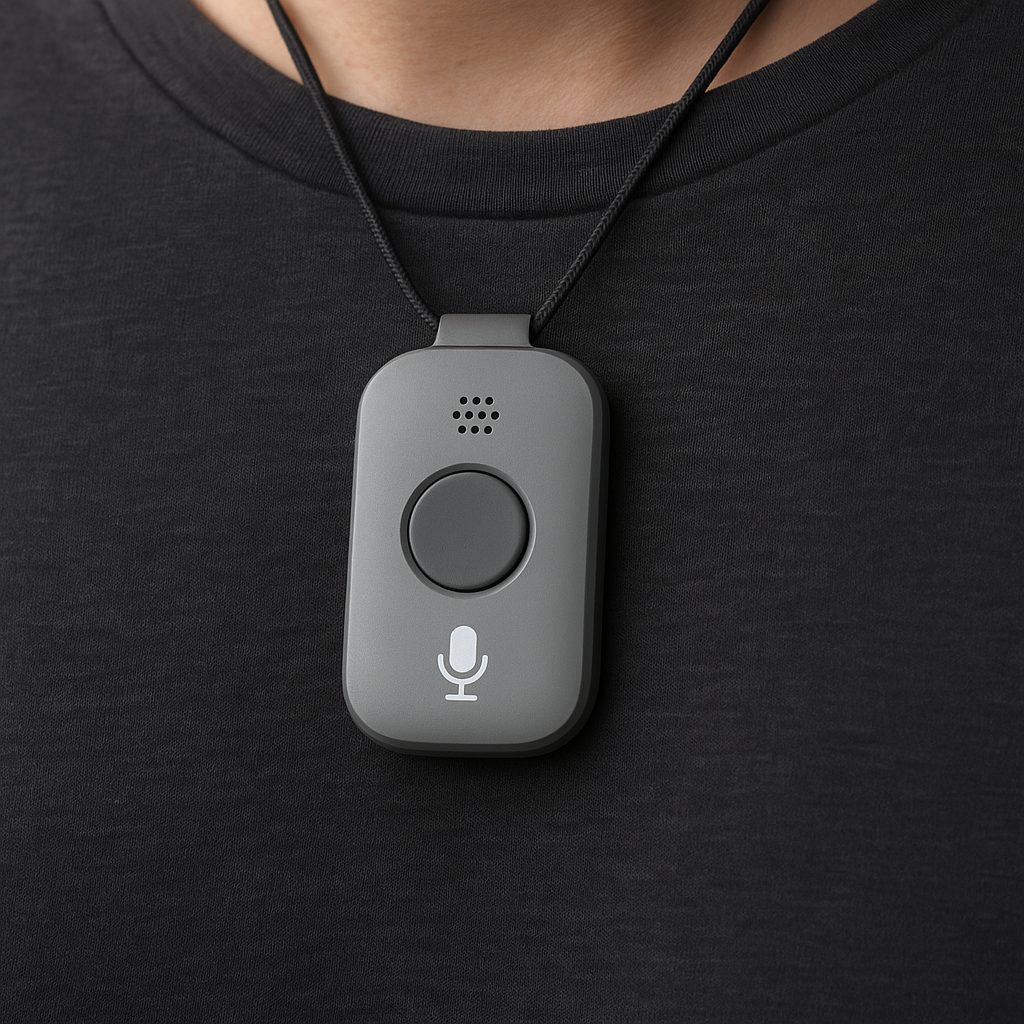
A pocket-sized recorder that captures the thought you almost lost. Tap to record, double-tap to bookmark — it syncs to your notes the moment you're back in range.
Live · Recording
Hardware · ships May 2026
The thought-catcher you can wear.
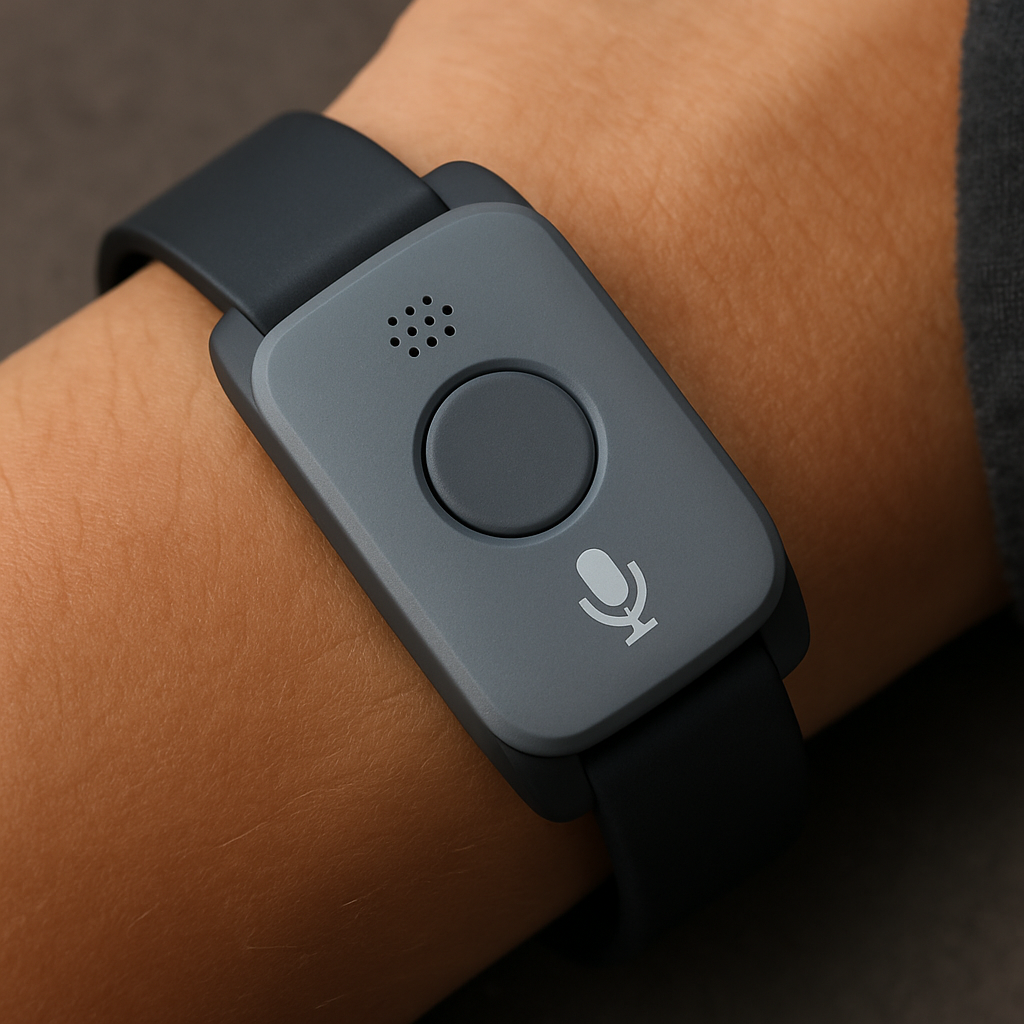
Pebble is a 12-gram voice button with one job: catch the idea before it vanishes. Wear it as a pendant, swap to the wrist strap, or clip it to a bag. Everything you record lands in NotesHQ, transcribed and organized — no phone needed.
12hBattery life
32GBOffline storage
IPX7Sweat & rain
Tap to record, double-tap to bookmark. No screen, no menus — just the thing you wanted to remember.
Bluetooth + Wi-Fi sync. Records offline, transcribes the moment it sees your phone.
End-to-end encrypted. Audio never touches a server in the clear. You hold the key.
Reserve PebbleLearn more →£129 · ships August 2026 · free shipping · 6 months unlimited transcription & translation included
PendantLanyard, included
Wrist strapSoft silicone, +£19
Magnetic clipFor bags & shirts, +£15
What makes it different
Designed for the way you actually think.
One place for the messy first draft and the clean final version. Rich text, handwriting, voice memos, sketches — all side by side, all searchable.
✎
Every kind of note.Not just text.
NoteChat reads everything you've written and answers questions in plain English. NoteQ generates quizzes from your own notes so you actually remember what you read.
✦
AI that knows YOUR notes.Not a generic chatbot.
End-to-end encrypted vault for the private stuff. No ads. No third-party tracking. We never train AI on your content. Delete your account and everything's gone within 30 days.
🔒
Private by design.Your notes stay yours.
Simple pricing
Free, forever. Premium when you need more.
The core app is — and always will be — completely free. One upgrade unlocks unlimited notes, the full editor, and every AI feature.
Basic
All the capture tools, modest caps.
£0/ forever
Always free, no card needed.
Up to 50 notes (20 text · 10 canvas)
5 notebooks · 1 smart folder
Voice memos — 1 min per recording, 30 min/mo transcribed
5 saved un-transcribed audios (retry later)
Note translation — first 1,000 words (24 languages)
Markdown export — entire library
(zip of every note, organised by notebook, with attachments)
✓
✓
Markdown import
✓
✓
PDF export
—
✓
Print
✓
✓
Sync & devices
Web + iOS + Android
✓
✓
Multi-device sync
✓
✓
Offline editing (mobile)
✓
✓
Tablet split-view
✓
✓
Customization & UI
Dark mode + theme palettes
✓
✓
8 UI languages
✓
✓
Right-click / long-press context
✓
✓
Account & security
Email + Google + Apple sign-in
✓
✓
Biometric / PIN vault
✓
✓
Priority support
—
Email + phone
Auto-archive
—
✓
Good questions
Frequently asked.
Is the free version really free? +
Yes — £0, no credit card, no time limit. Basic gives you 50 notes (20 text + 10 canvas), 5 notebooks, 1-minute voice memos with 30 minutes of free monthly transcription, voice transcription in 25 languages with auto-detect, note translation across 24 languages (first 1,000 words per note), plus sync, vault, and the full canvas. Upgrade to Premium when you outgrow the caps or want the AI features.
What does Premium add? +
Unlimited notes & notebooks, longer voice memos with unlimited transcription, NoteChat (ask your notes anything), NoteQ (auto-generated quizzes), AI summaries, smart tag suggestions, tables, linked notes, the focus timer, recurring reminders, version-history diff, and phone & email priority support.
Is my data private? +
Yes. Your notes are encrypted in transit and at rest. Vault notes use end-to-end encryption — we cannot decrypt them. We never sell data and never train AI models on your content.
Does it work offline? +
Yes. Take notes offline; they'll sync to all your devices the moment you reconnect. AI features (NoteChat & NoteQ) require an internet connection.
What platforms are supported? +
The web app (works in any modern browser), Android — get it on Google Play — and iOS / iPadOS — download on the App Store. All three share the same data, vault, and notebooks. There's also a browser clipper for Chrome / Edge / Firefox / Brave / Vivaldi / Opera (see Clipper above).
Can I cancel anytime? +
Yes. Cancel from Settings, no questions asked. You keep all your notes; AI features simply pause. We also offer a 30-day money-back guarantee on annual plans.
Say hello
Talk to a real human.
Questions, feedback, partnership ideas, or just want to say hi? Write to us. Replies usually come within a working day.
Email us directly
The fastest way for support questions and bug reports.